Where it goes
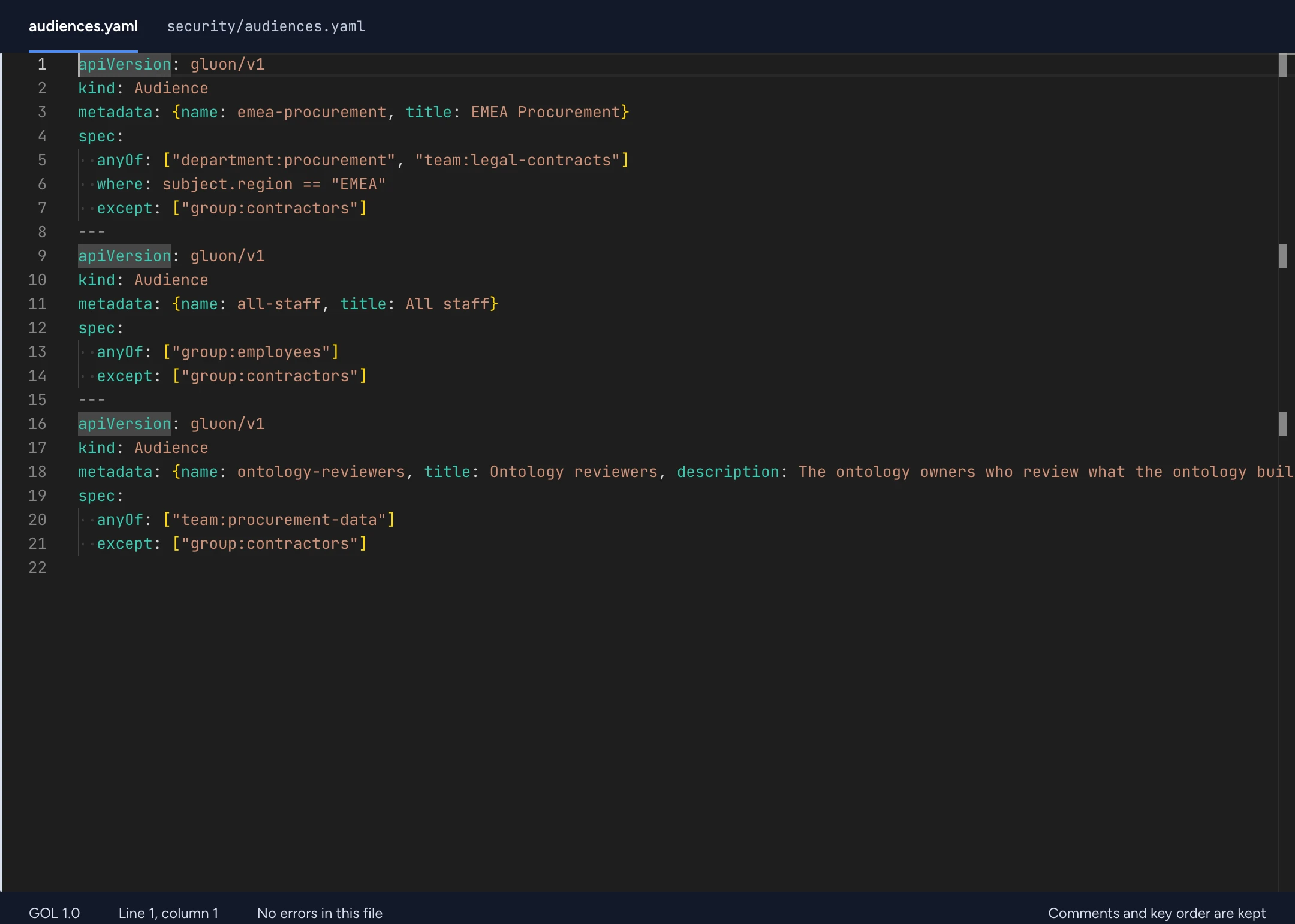
Contoso keeps emea-procurement in security/audiences.yaml. The loader reads every YAML file under the package root, so folders are a convention you can change. Name it in lowercase kebab-case. The name must be unique among the package's Audience resources.
Fields
The keys under spec. Nested shapes follow AudienceSpec in the GOL JSON Schema.
| Field | Presence | Shape |
|---|---|---|
anyOf | Required | principalList |
where | Optional | cel |
except | Optional | principalList |
Syntax and rules
The examples are fragments. Put them in a package next to the resources they reference. A ... stands for a CEL expression you write yourself.
3.3 Principals and audiences
The ontology never names a directory object. It names logical principals, and each environment binds them to Entra, LDAP or local directory objects (admin console, section 11.2).
principal := ("user" | "group" | "team" | "department" | "service" | "audience") ":" kebab-name
role:x is not a principal. It always names a Role resource (10.2); where a list accepts it (approvers, grantableBy, approvals[].by, policy subjects), it means anyone the Role is assigned to.
kind: Audience
metadata: { name: emea-procurement, title: EMEA Procurement }
spec:
  anyOf: ["department:procurement", "team:legal-contracts"]
  where: subject.region == "EMEA" # CEL over directory attributes
  except: ["group:contractors"]
Check your package
gluon validate examples/contoso
gluon test examples/contoso
validate reports each problem with a GLN code and its place in the file. test runs the package's Test resources. See the language guide and the diagnostics.