Where it goes
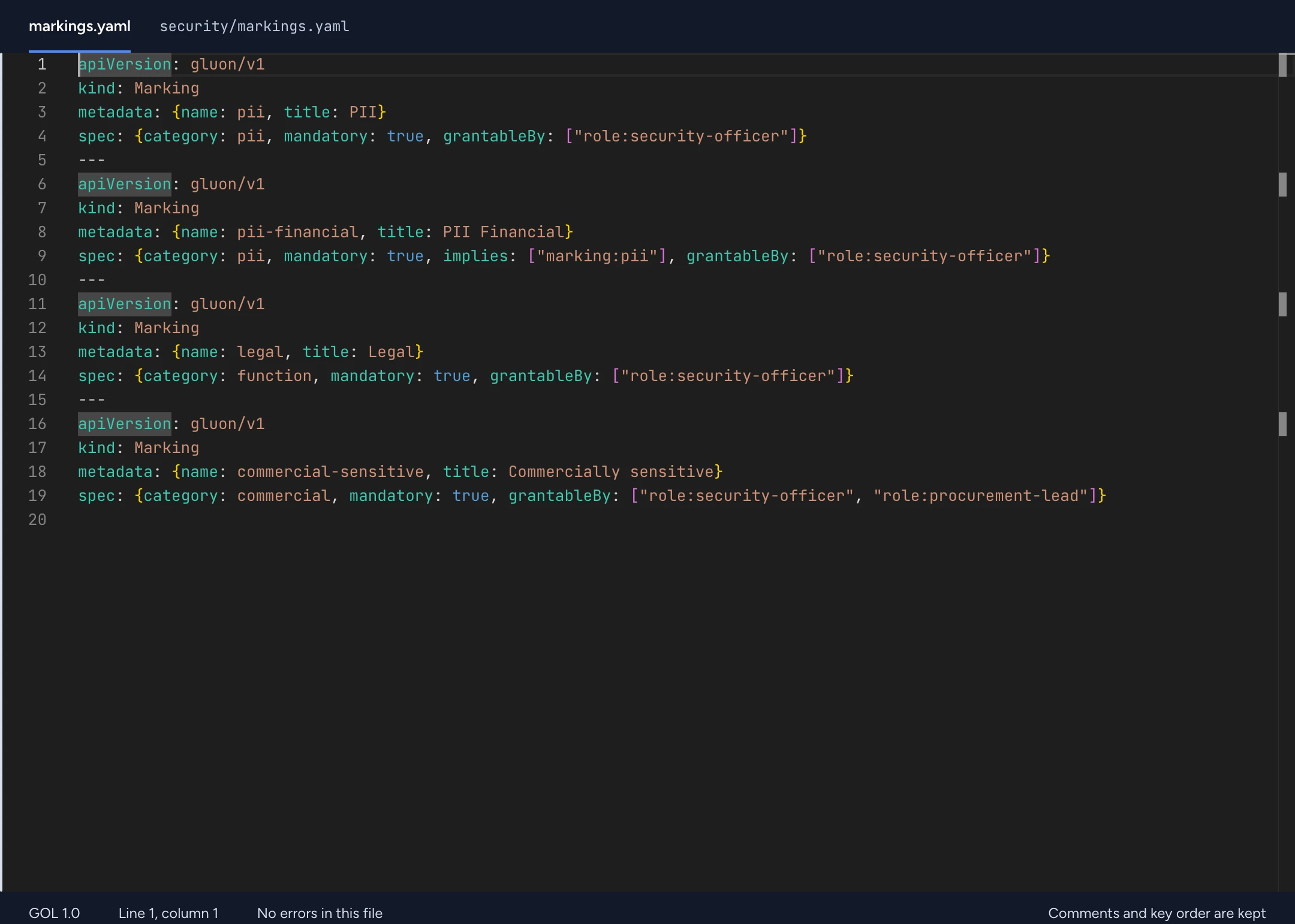
Contoso keeps pii in security/markings.yaml. The loader reads every YAML file under the package root, so folders are a convention you can change. Name it in lowercase kebab-case. The name must be unique among the package's Marking resources.
Limits
Markings are conjunctive. A Role or an allow Policy cannot override one.
Fields
The keys under spec. Nested shapes follow MarkingSpec in the GOL JSON Schema.
| Field | Presence | Shape |
|---|---|---|
category | Required | string |
mandatory | Optional | boolean |
implies | Optional | markingList |
grantableBy | Optional | granteeList |
Syntax and rules
The examples are fragments. Put them in a package next to the resources they reference. A ... stands for a CEL expression you write yourself.
10.2 Marking, Role
GOL · YAML
kind: Marking
metadata: { name: pii-financial, title: PII Financial }
spec:
  {
    category: pii,
    mandatory: true,
    implies: ["marking:pii"],
    grantableBy: ["role:security-officer"],
  }
---
kind: Role
metadata: { name: steward }
spec:
  scope: ontology # ontology | domain | type
  permissions: [discover, read, propose, edit, review, publish, deploy, manage-security, export]
  inherits: ["role:viewer"] # built in: owner, editor, reviewer, viewer, discoverer
  assignees: # who holds the role; a bare principal means the role's whole scope
    - "team:procurement-data"
    - { principal: "user:a.devries", scope: { domain: procurement } } # or scope: {type: procurement.Contract}
Check your package
Shell
gluon validate examples/contoso
gluon test examples/contoso
validate reports each problem with a GLN code and its place in the file. test runs the package's Test resources. See the language guide and the diagnostics.