Every change to the ontology happens in a proposal, a named working copy opened from the head of main. Suggestions you accepted from the swarm sit on the Review inbox proposal, your own edits sit on draft or on a proposal you open yourself. Main changes only when a proposal is merged, and even then nobody is served the change until it is published and deployed.
Open a proposal
- Open Proposals in the designer. A proposal that fell behind main says behind main.
- To start your own, press New proposal. Give it a kebab-case name that is unique among open proposals (for example
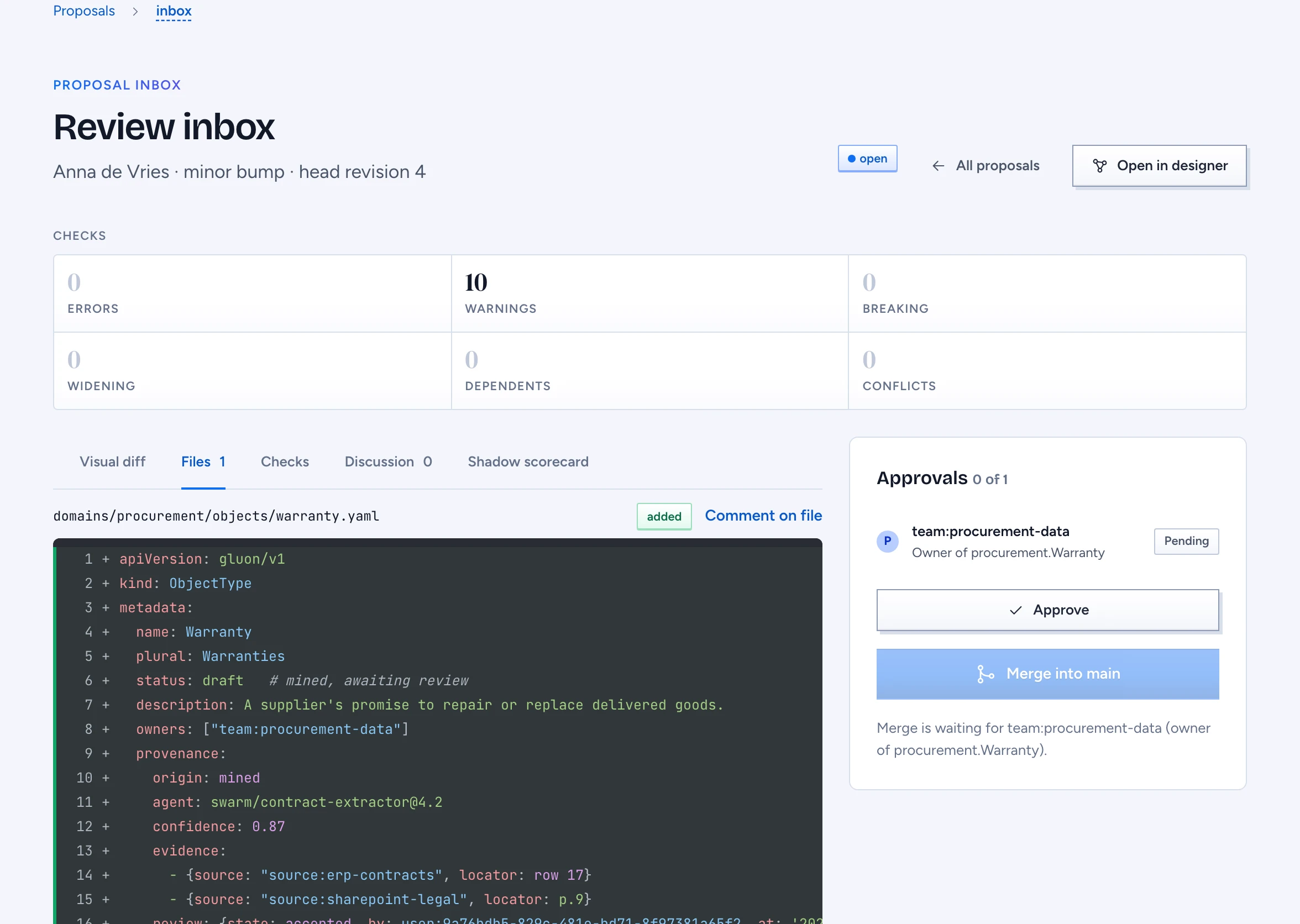
renewal-risk), a title and, if reviewers need context, a description. - Open the proposal. The header shows the author, the required version bump and the head revision. Open in designer edits it on the canvas.
Read the checks
The Checks strip counts Errors, Warnings, Breaking, Widening, Dependents and Conflicts. Below it are five tabs:
- Visual diff colours the canvas: added green, changed amber, removed red. Click an element for its field changes, before and after.
- Files shows each changed file as a YAML diff.
- Checks lists the diagnostics, the breaking changes, who gains access and what depends on the changed elements.
- Discussion holds comments on a file, a field or a canvas position. Mention someone with @name and they are notified; Resolve collapses a thread.
- Shadow scorecard scores the proposal beside main. Press Run paired evaluation; a metric that got worse and now fails its gate is listed under Regressed past its gate, with the failing questions where the scorer names them.
Resolve conflicts
A conflict means main and your proposal both changed the same file since the proposal opened, and changed it differently. Conflicts with main lists each file.
- For each file, choose Use main or Keep mine.
- Validation runs again after every choice.
- Once no conflict is left, the proposal is rebased onto main and main's other changes come in.
Collect approvals
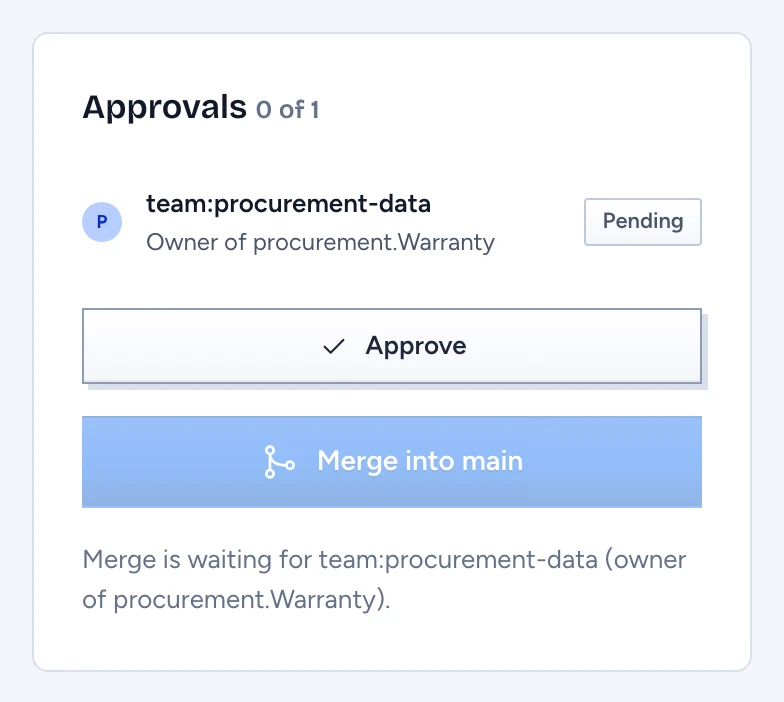
The Approvals panel names who must sign, for example "team:procurement-data, Owner of procurement.Warranty". Gluon works this out from main as it was when the proposal opened: the owners of each touched element, else its domain's owners. A change that widens access adds a security officer, shown as Security approver: access widens or may widen. A Layout-only change needs nobody.
- An owner presses Approve. The approval covers the elements they own at this revision.
- A later save resets the approvals for the elements it touches. Approvals on other elements stand.
- A delegate named by an owner approves in the owner's place until the delegation ends.
- When an owner's approval has waited two days since the last save (the default), the domain owner may approve it and is notified once.
An owner may approve their own proposal.
Merge into main
Merge into main stays disabled until nothing blocks it, and the line under the button says what is missing, for example "Merge is waiting for team:procurement-data (owner of procurement.Warranty)." The blockers are open conflicts, validation errors, elements still marked status: proposed, an empty proposal and each missing approval. Merging needs the review permission on every element the proposal touches.
When the merge runs, the page says "Merged renewal-risk into main. Publish it from Versions." Merging draft opens a fresh draft on the new main. If someone moved main or reset an approval while you were reading, the merge stops and the page lists the blockers as they are now.
Next: Publish and compare versions.