A new deployment starts on its first stage, usually shadow. Each stage has a soak time and a set of gates, and the deployment widens to the next audience only when the soak has passed and every gate is met. When something goes wrong you roll back, and every audience returns to the version it had before within a minute.
Watch the shadow stage
Open the deployment from Deployments. The Rollout list shows each stage with its audience, soak and state. A shadow stage reads "Scored, shown to nobody. Effectful actions go to the simulator."
The worker scores every active deployment once a day; press Run evaluation for a run now. A run covers the labelled access tests, an adversarial permission set of up to 5,000 cases, documents with injected instructions, the golden questions and, on a shadow stage, replays of real questions under each person's current permissions. The Scorecard shows every metric as numerator over denominator, with the window and the evaluator version, beside the live version's numbers when a live deployment overlaps (otherwise beside the previous run).
Read the gates
Gates for the current stage lists each gate with its value and state: Pass, Fails or Insufficient. The platform defaults are citation support at least 0.90, golden pass at least 0.95 and refusal correctness at least 0.90, each over at least 30 samples. These three are marked (CI check): they come from Gluon's fixed stand-in answerer, which proves the permission rules and the golden set's wiring, not answer quality. Answer quality from the real model is on Admin › Drift. A Capability, the deployment or a stage can set a stricter gate, and the strictest one wins.
A gate blocks in three cases:
- the metric fails its bound;
- the metric has fewer than 30 samples, shown as Insufficient evidence;
- the evidence is stale: the run finished before the current stage started, the ontology, policies or model changed since, or the corpus drifted by more than 5 per cent.
Three safety floors sit above every gate: false allows, unauthorised disclosure and injection blocked. They are marked safety floor and Cannot be overridden.
Widen to the next stage
When the soak has passed and every gate passes, the stage says "Every gate passes. Widening starts the next soak." Press the Widen to button, which names the next audience. While anything blocks, the button is disabled and its description names the metric, for example "citationSupport is 0.88, needs at least 0.92".
Override a quality gate
When a quality gate blocks and you have a good reason to go on, for example a new Capability with too few questions to reach 30 samples, a security officer can override it.
- Press Override… on the gate.
- Give a reason, a scope (This stage only or Every stage of this deployment) and an expiry date. The override lapses at the end of that day (UTC).
- Press Record override.
Only the security approver role may override, even when an owner's role grants every other permission. Each override, and each refused attempt, is audited with its reason, scope and expiry.
Roll back
- Open the deployment and press Roll back.
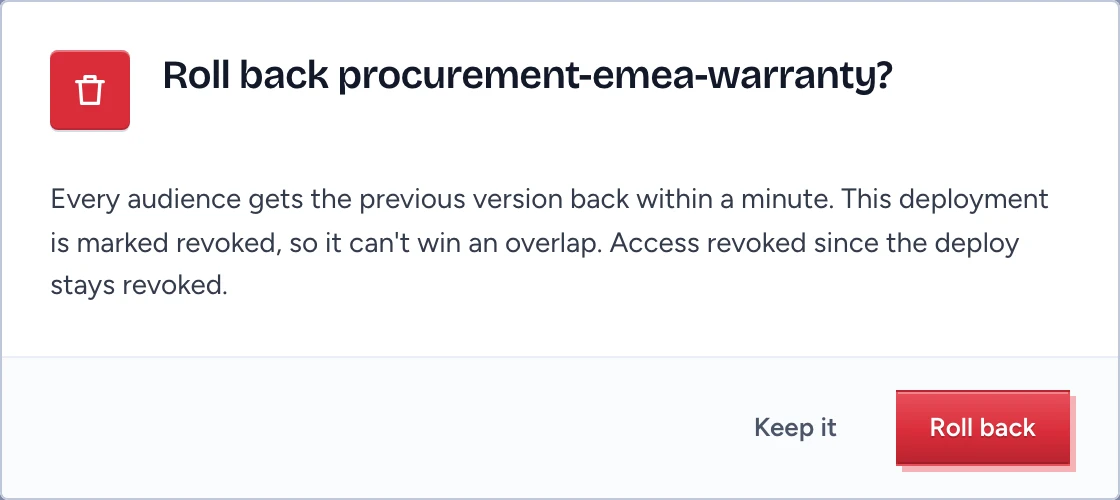
- The dialog explains that every audience returns to the prior version within a minute and the deployment is marked revoked, so it cannot win an overlap.
- Press Roll back to confirm, or Keep it.
The deployment reads revoked and its history records the rollback. A rollback restores a version, and identity stays current: a marking or membership withdrawn since the deploy stays withdrawn.
Automatic rollback
A deployment without a rollback block rolls itself back on any of three triggers:
- validation regression: the version no longer validates, for example because a Capability expired or a Test fails;
- gate failure: a gate of a live stage fails after a scorer run (insufficient evidence does not count);
- error rate: more than 5 per cent of at least 20 live questions it served since the stage started were degraded or cut off by the provider. The worker checks this every minute.
Retire a deployment or stop one element
Retire ends a deployment for good. Its audiences lose the version in chat, apps, API and MCP at once, and a new deployment needs at least one soak period. To stop a single Capability, action, source or model without a new version, use the kill switch.