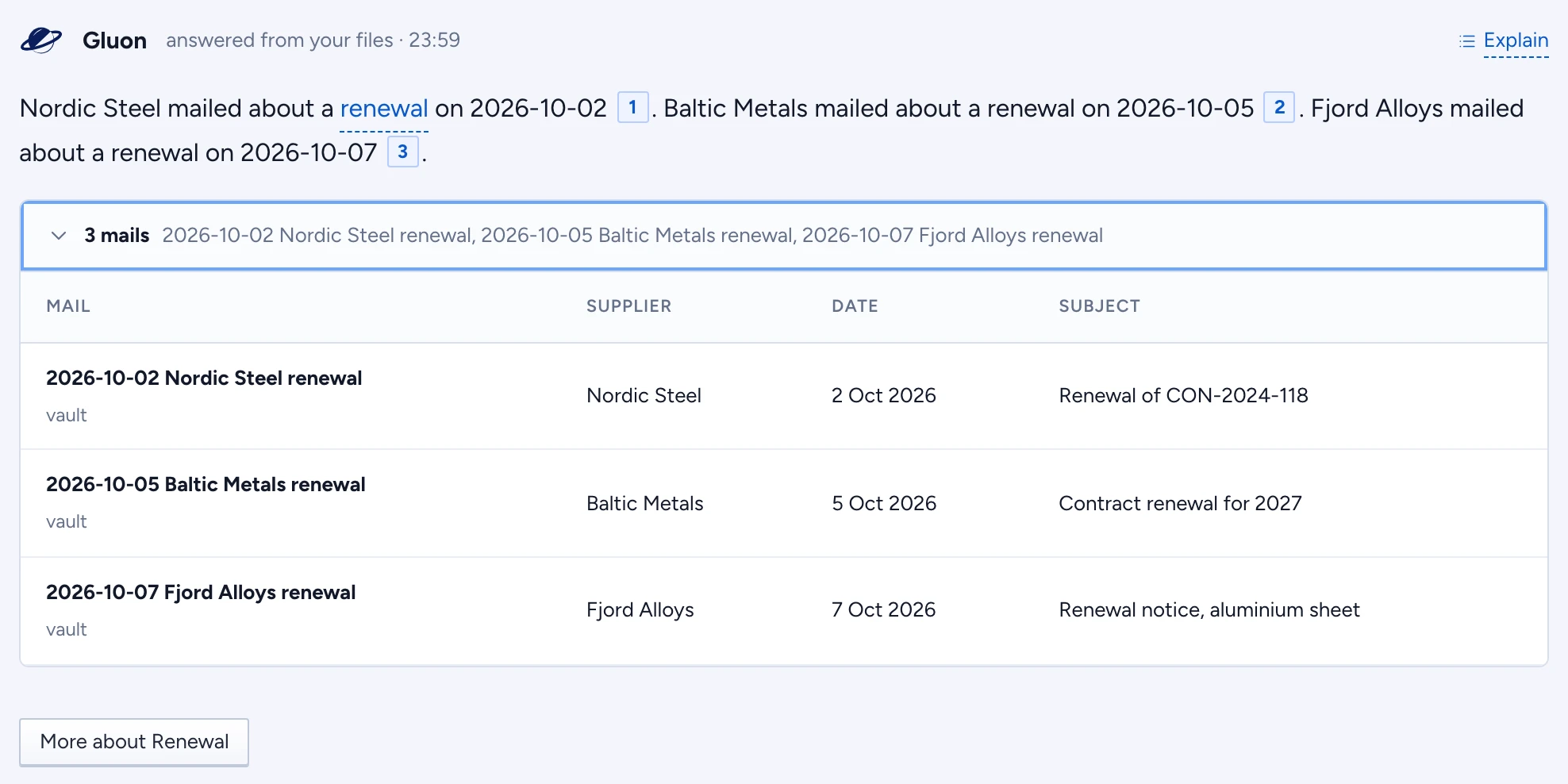
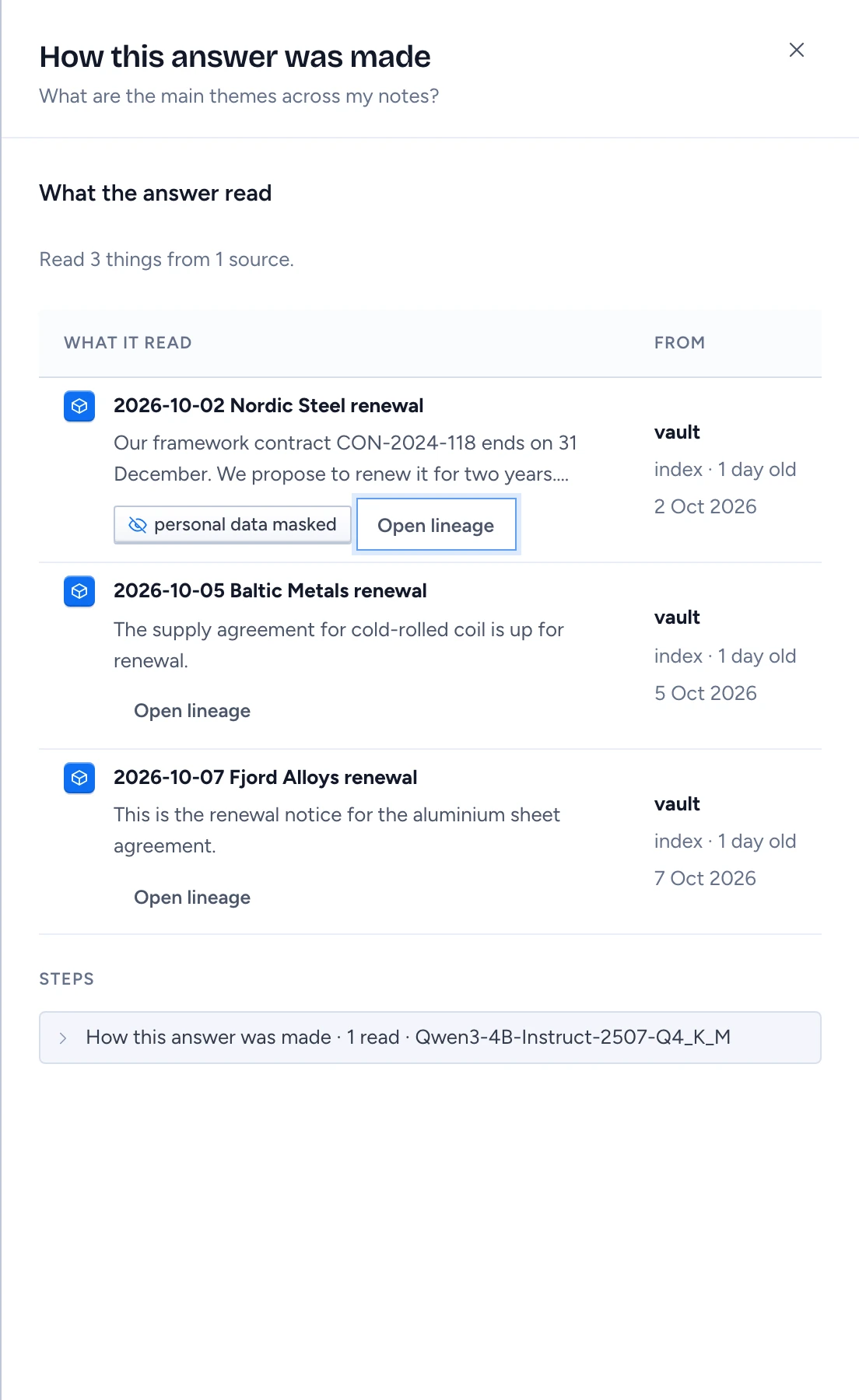
The trace: how an answer was made. Every answer in Gluon Desktop keeps one, found again by the answer itself. Every number in it is measured on this Mac; none is claimed by the model.
In the answer
Press Explain, at the top right of the answer, to open the trace in a Sheet on the right: the one place an answer is explained in full. While the answer is still coming, its trace shows under it and says what happens now, such as reading your records. Its first row reads like "How this answer was made · 1 read · Qwen3". Open it to see:
- Planned: why Gluon did what it did, in one sentence, and the skill when you pinned one.
- One row per step: the search over your records with how many it found and how long it took.
- Answered: the model that wrote the answer.
- Technical details, closed at first: the calls as written, the tokens and the time.
At most one badge shows beside the closed row, the one that weakens the answer most: Read failed, Check failed, Unchecked numbers, Evidence trimmed, Maybe outdated or Details masked. Point at it, or Tab to it, for a line that says what it means and what to do. No badge means nothing needs your attention.
When the answer used a kept tool result, the answer's header says From memory, 4 h old, beside Explain, (the oldest one it used) and offers Refresh: the same question runs again with every read live, and the live result replaces the kept one.
The trace Sheet
Press Explain at the top right of an answer. The Sheet shows What the answer read first, with a line such as "Read 3 things from 1 source; the answer cites 1", split into Cited in the answer and Read but not cited: one row per thing the answer read, a file or an email with its own icon, its name, its type and a few of its words, and what was masked; then the source with its logo and how old the record was when the answer read it; and Open lineage, which shows where that record came from and what happened to it on the way, ids and stored fields included. The same file or email read more than once is one row with the count, such as "2 records". Rules from your knowledge is folded to its count: press it to see the rules. The steps come last, under Steps, folded to their one-line summary: press it to open them. When you reopen an older answer, a record that was wiped since is marked Outdated, and a record that was synced again with other content is marked Changed at the source since; the search that read it is marked too, and the closed row shows Maybe outdated.
Conversations
Every question and answer is kept on the Mac, with its trace. Recent chats in the sidebar lists the latest five; press one to carry on where you left off. All chats lists every conversation with a search box and Delete, which deletes the conversation and its traces from the Mac. New conversation starts a fresh one.
Other states
- No trace for this answer: answers made before this version have none. New answers always do.
- This conversation did not open: press Try again.