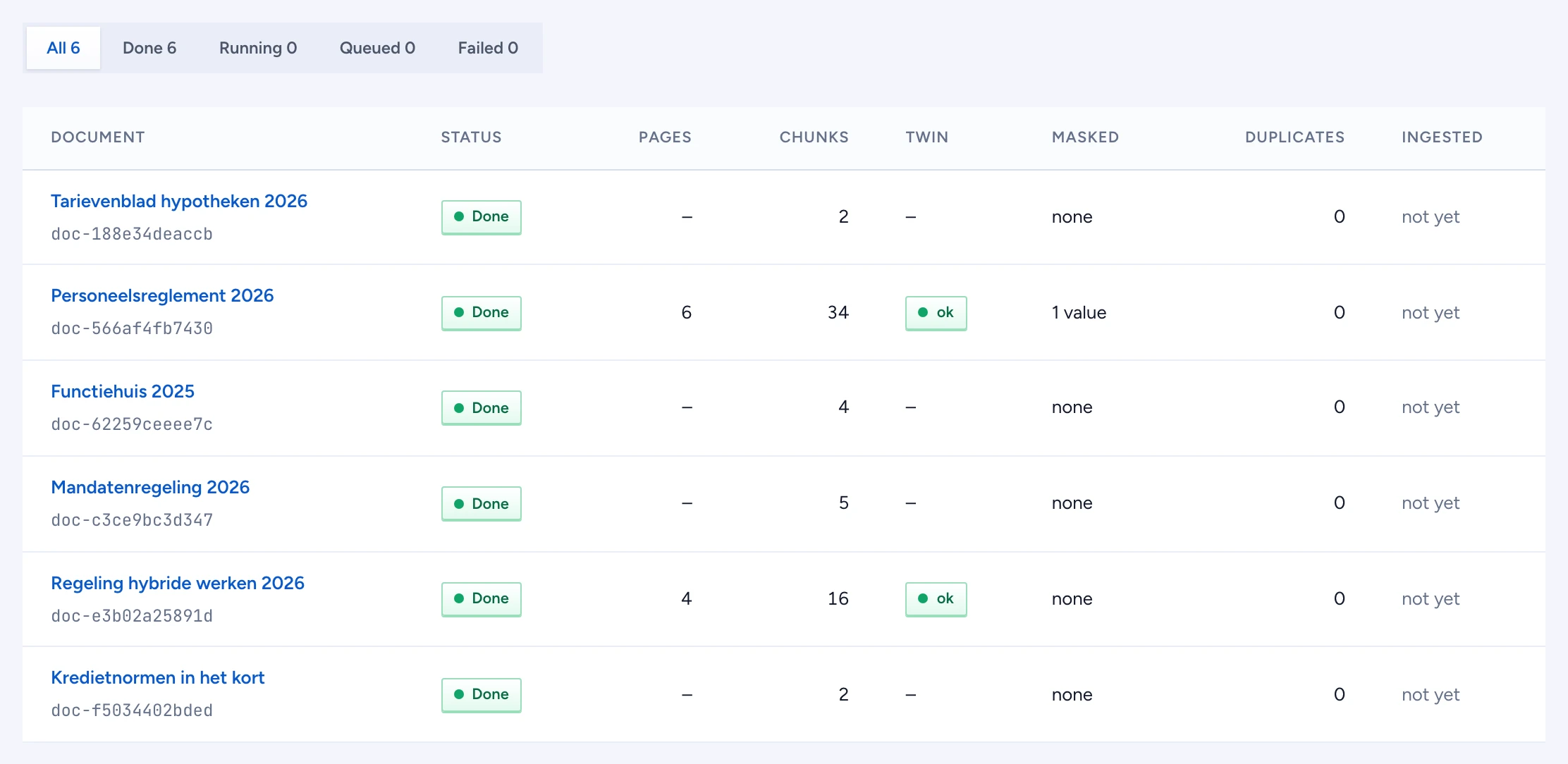
Gluon Ingest turns each Word, PDF or PowerPoint file a Source sends into a PDF twin, a parse, and chunks with a section path and a box on the page. This page lists what it made of each file, so you can see at a glance which documents are ready, which failed, and which had values masked.
Before you start
- You need the platform administrator role. A security officer can read this page.
- The list shows only documents you may read. Every read goes through the policy decision point in the admin channel, so a document a policy keeps from you is not listed.
List a Source's documents
- Open Sources, tools & skills > Documents.
- Pick the Source at the top right. The first Source is shown when you have not picked one.
- Read each row:
- Status: Queued and Running are still in Gluon Ingest; Done can be opened; Failed names its error under the badge.
- Pages and Chunks: counts from the parse. A dash means the document is not parsed yet.
- Twin: ok when the PDF twin was made. failed means the chunks come from the native file, with section paths but no boxes.
- Masked: how many values the Source's PII masker hid. Readers who may not reveal them only ever get the redacted twin and masked text.
- Duplicates: chunks of this document that share a duplicate cluster with another chunk. Copies are never deleted; they collapse at question time, after the policy check.
- Ingested: when the document was last written.
- The first page shows eight documents. Press Load more for the next ones.
Filter documents by status
Use Show above the table to keep one status, for example Failed to see what needs a look. The counts in the filter are for the documents loaded so far; load more before you filter a large Source.
Open a document
Click a done document's title to open it in the document inspector. A queued or running document has nothing to inspect yet, so its title is not a link.
An empty Source says so and waits for its connector to send files. When the list is withheld from you, the page says withheld, never empty.