Gluon signs people in through Microsoft Entra ID over OIDC and takes group membership from the directory through Graph and SCIM. Token claims play no part in membership. Break-glass accounts are local accounts with MFA that keep working when SSO or the directory fails.
Check the provider settings
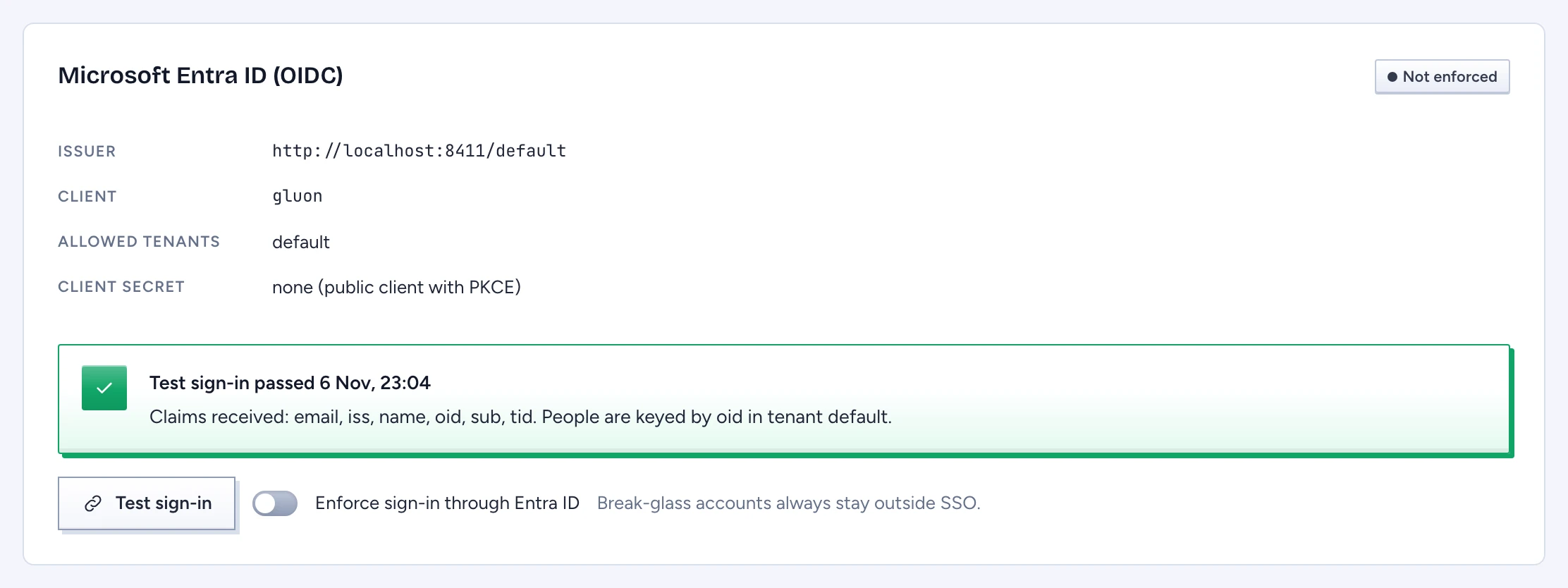
Open Identity > Identity providers. The Microsoft Entra ID (OIDC) panel shows the Issuer, Client, Allowed tenants and Client secret. The secret appears as a key-service reference, or as "none (public client with PKCE)". These values come from the server configuration, and the panel shows them read only.
Test the sign-in
- Click Test sign-in. A new window opens at Entra ID. If the browser blocks it, allow pop-ups for the console and try again.
- Sign in there with an ordinary account.
- Back in the console, the panel reads Test sign-in passed with the time, the claim names received, and which claim people are keyed by (
oid) in which tenant.
The test checks the token exactly as a real sign-in does, starts no session and records only the claim names. A sign-in from a tenant missing from Allowed tenants fails with "not on the allow-list".
Enforce SSO
Turn on Enforce sign-in through Entra ID. The switch stays disabled until the latest test passed. Once on, the badge changes from Not enforced to Enforced and the change is audited. Break-glass accounts always stay outside SSO.
Watch reconciliation and secrets
The Reconciliation section lists each directory source with its Last success and Last error. Graph runs a pass every minute.
- After 15 minutes without progress, new marking grants and bindings are refused until reconciliation catches up. Every security officer gets a "Directory reconciliation stalled" alert.
- After 24 hours, every permission that came from the directory fails closed: directory users lose their principals, markings and attributes. Break-glass accounts keep theirs.
A failed pass changes no membership, so a throttled Graph call cannot remove anyone.
When the identity provider's client secret is within 30 days of its recorded expiry, a banner names it. Rotate it in the key service; the next check picks up the new expiry. Security officers also get "A secret expires soon" from the daily check, and they cannot mute it.
Test your break-glass accounts
Open Identity > Break-glass accounts. Each account shows Last tested and a Tested or Test due badge. An account untested for 90 days is due, and signing in with it counts as the test. An untested account may fail you on the day the directory is down.
Every break-glass sign-in notifies all security officers. Signed in as a break-glass account, you can add a security key or passkey under Security keys as a second factor next to the authenticator app.
The first break-glass account comes from the first-run wizard: run gluon setup-token on the server, then open the console signed out.