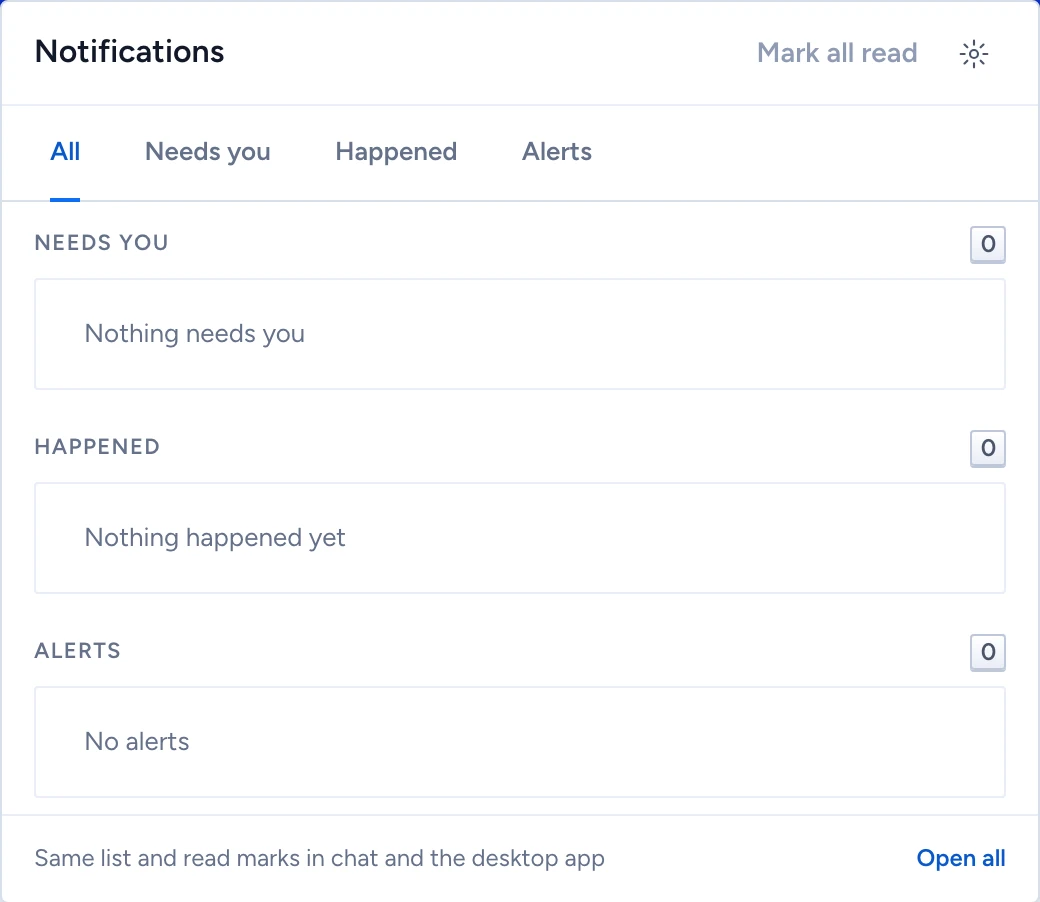
The admin console, chat and the designer share one bell, and the desktop assistant shows the same items. Read something in one app and it clears in every other app you have open.
Work through the bell
- Click the bell. Notifications opens with your unread count.
- Pick a tab. Needs you holds reviews, approvals, access requests, mentions and halted runs. Happened holds merges, package imports, deployment results and rollbacks. Alerts holds data alerts, failed gates, failed probes and security notices. All shows the three groups together.
- Click an item to open its proposal, approval, run or source. Opening it marks it read.
- Click Mark all read to clear the rest, or Open all for the full list.
An item raised by a source offers Mute this source, which silences that source for your chosen mute period.
Choose what reaches you
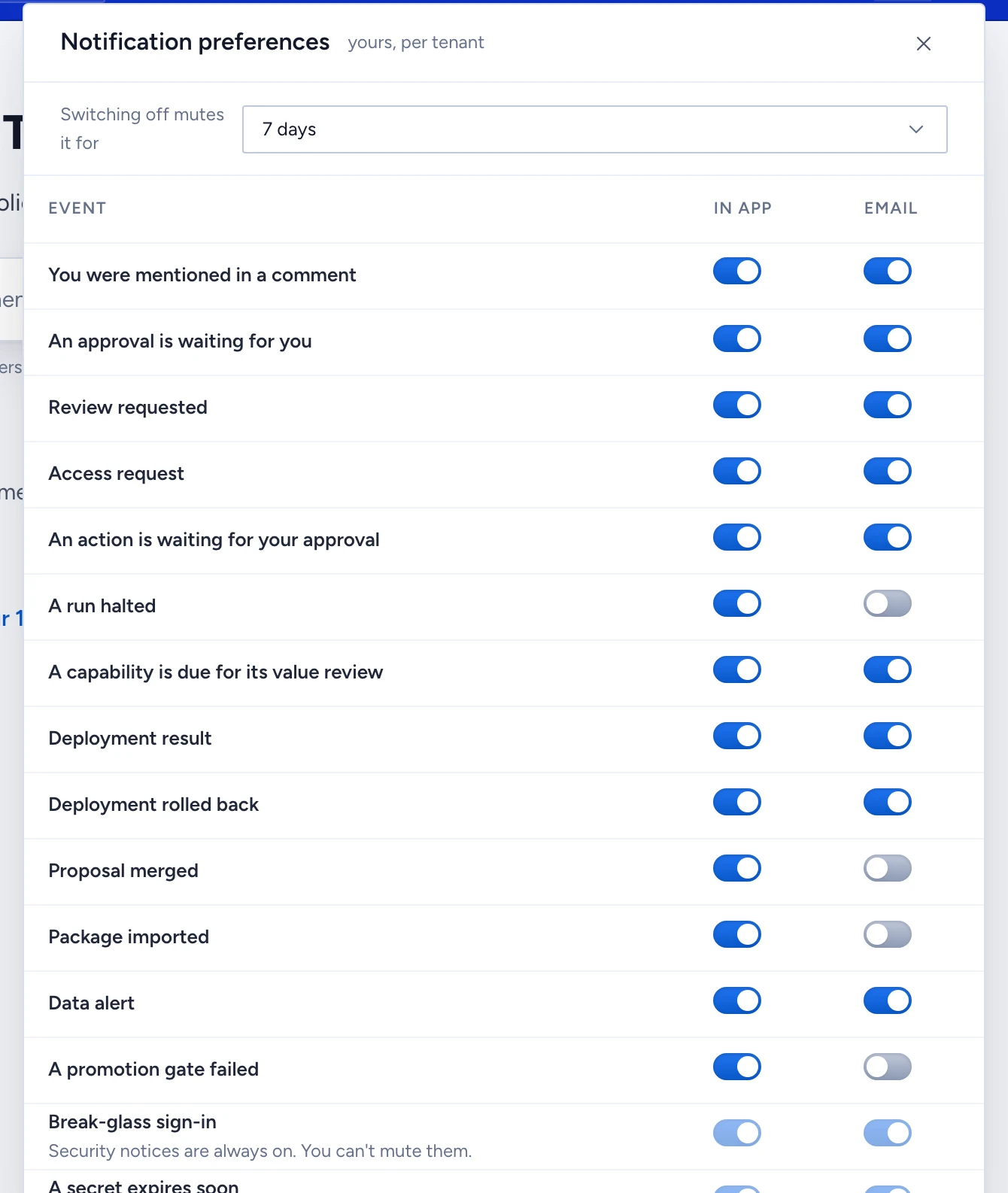
Click Preferences (the gear icon) to open Notification preferences. They are yours, and they apply per tenant.
Each event has an In app and an Email switch. Turning one off mutes the event for the period set in Turning something off mutes it for: 1, 7, 30 or 90 days. Every mute ends, and nothing is bundled into digests: each notification arrives once.
Security notices are locked on and always emailed: Break-glass sign-in, A secret expires soon, Kill switch used, Directory reconciliation stalled and Directory sync failed. Their row reads "Security notice: always on, no preference can mute it".
An email carries the event name and a link, and nothing from the record itself.
Post to a Teams or Slack channel
An administrator can send Happened and Alerts items to a team channel. Needs you items stay personal.
- In the admin console, open Storage, models & API > PII masker and find Notification channels.
- Under Connect a channel, enter a Name, pick the Service (Teams or Slack) and paste the Incoming webhook URL.
- Click Connect channel, then Send test.
Gluon stores the URL in the key service and never shows it again. Each post names the event and links to it, so no business value leaves Gluon. Gluon accepts only Teams and Slack incoming-webhook addresses. Remove stops the posts and revokes the URL in the key service.