Memory is everything Gluon kept: tool results, facts derived from them, corrections people made and preferences, and, on their own tab, the records synced from sources. Every item says where it came from, when it was observed and how long it is valid. An item is served only after the reader's access to each object it depends on is checked again, so memory never shows anyone more than the source would.
Browse
Open Sources, tools & skills > Memory. Two tabs sit at the top right: Kept items and Knowledge sources.
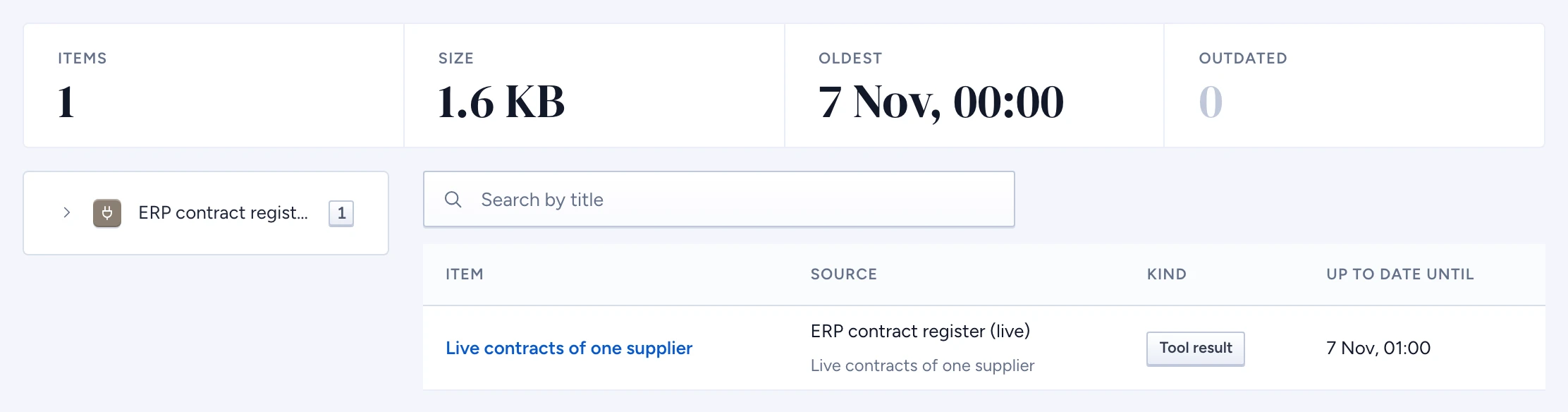
On Kept items, the summary shows how many items Gluon kept, their size, the oldest and how many are outdated, each counted over every item. The tree groups items by source, then by tool or by kind. Select a node to narrow the table. Search by title searches every item on the server, and Show more under the table adds the next ones. Once the list has more than 12 items, filters for kind, source, owner and Outdated only appear above it.
The table lists each item's title, source, kind and until when it is up to date. Open an item for the rest: when it was read, how often answers used it, who edited it and where it came from. An outdated item's window has ended: an answer fetches it live when it can, and says it may be out of date when it can't. When a skill, a Query and a source each set how fresh a read must be, the strictest one decides: a skill that asks for one second is read live again after a second, even from a source whose records are kept for a day.
Open an item
Click a title to see the text, how it was kept (a tool call, a sync, a person's correction), the content, the objects it depends on and its access: the owner, the decisions and the masks applied. A private item is served only to its owner; a shared item was stored from a type-level decision with no row rule or mask.
Employees see the items they own in the chat's Your memory (see See and manage your memory).
Knowledge sources
The Knowledge sources tab lists the synced records you may read, as employees see them in the chat (see Browse Knowledge sources): title, type, source and when the source was last read for it, with the count beside the search. Open a record to see its passage, redacted as chat quotes it; Open on page shows the page with the passage marked. When the record comes from a document you may not read, it says The document is withheld and shows none of its text. A synced record has no Edit: it changes where it lives. Wipe removes it from the shared index for everyone.
Correct an item
- Open the item and click Edit.
- Change the text and click Save correction.
The item becomes a correction. The original stays beside it, facts derived from it are invalidated, and the table shows Edited by with the date. Every answer that uses it serves your text, not the original, and says whose it is, for example "c1 is worth 120000 EUR (edited by Anna de Vries on 2026-10-10)", in the cited passage and on the trace page. It is never shown as written by the source. Corrections are audited as memory.edit.
A correction overrides what the source returns: reading the source again never replaces it. When its window ends and Gluon reads the source again, the correction stays and its window starts again; Gluon only compares the new read with the original you corrected. The same: the trace says "checked live: the source still says what was corrected". Different: answers keep serving the correction and say "the source says something else since; the correction is kept", so you can decide whether to correct it again or wipe it. The first such change is audited as memory.correction-source-changed.
Wipe
- One item: open it and click Wipe.
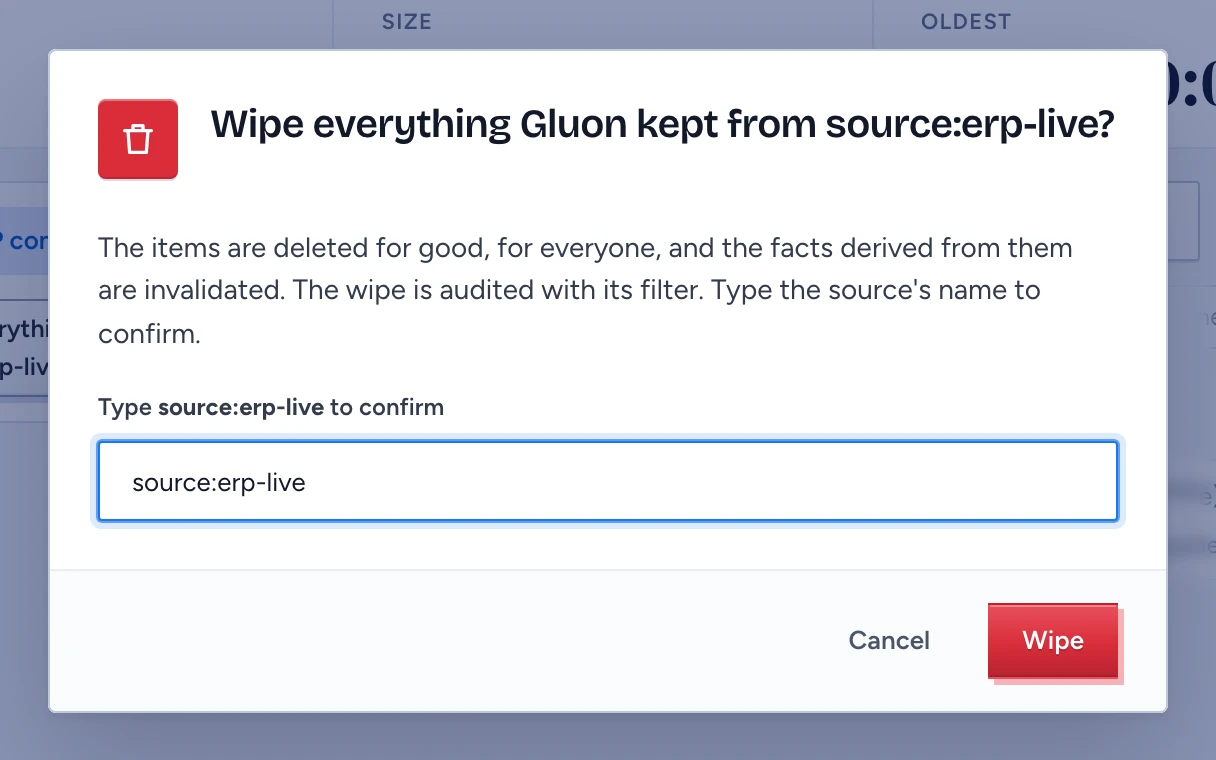
- A whole source, or one kind inside it: select it in the tree and click Wipe everything from the source. Type the source's name to confirm.
A wipe deletes for good, for everyone, and invalidates the facts derived from the wiped items. It is audited as memory.wipe with its filter. Wiping a whole source as a security administrator removes everything Gluon kept from it, for every person: their kept items and every synced record of it in the index, also the ones you may not read. The audit record names how many went. Anyone else's wipe takes only their own items.
When memory is empty
- Nothing in memory yet with Connect a source: no source is ready to answer yet, so nothing can be kept.
- Nothing in memory yet with Ask a question in chat: a source is ready, but nobody has asked a question that reads it yet.
- Memory items are withheld: your roles show the totals but not the items. Trying again does not change that; Request access opens the access explainer, where you ask for it.