A source holds information. A tool reads or changes it. A saved query is a tool for a database. A skill gives instructions for a kind of question. A tool pack lists the tools a capability may call. A tool can be a saved query, an MCP tool, or a lookup on the ontology. Gluon picks tools for each question, the tool pack of the capability says which it may call, and the trace records every call.
The effect rule
Gluon calls a tool only when it reads. A tool reads when its MCP server says so (readOnlyHint), when it is a Query, a built-in database tool (read only by the guard on every statement) or an ontology read, or when an administrator reviewed it and marked it read-only. A verb in its name counts for nothing: a tool called get_report that does not say it only reads is unknown and is never called. A tool that writes is reached only as an Action's effect, with that Action's approval.
Review new tools
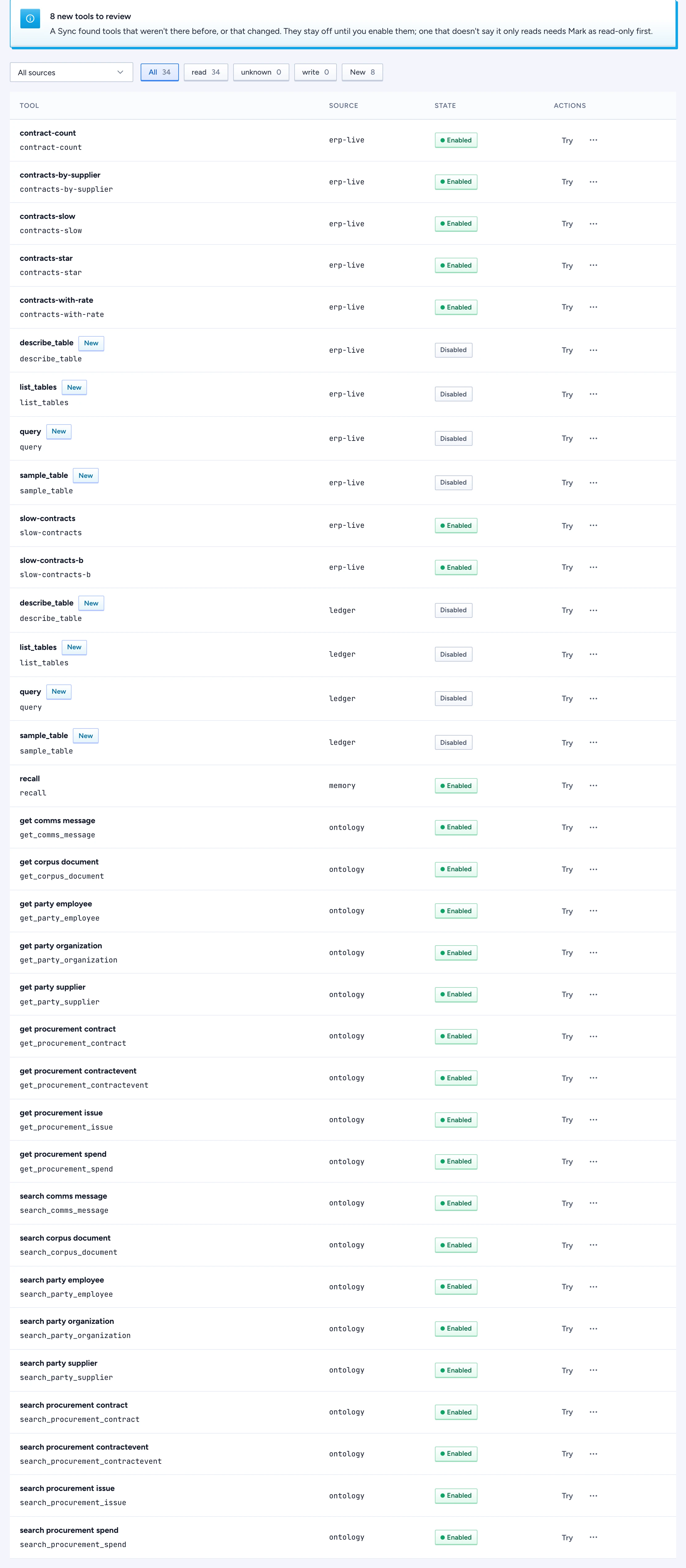
After a Sync, new or changed tools appear with New and start off, so a tool pack never widens on its own. The page says how many wait for review.
- Open Sources, tools & skills > Tools. Each row shows the tool, its source, its state and Try. Once the list has more than 12 tools, filters by source, by effect and by New appear above it.
- For a tool with the effect unknown, open the row menu and choose Mark as read-only. Only do this when you checked that it changes nothing. Your name and the time are recorded with the tool and in the audit log.
- Choose Enable in the row menu.
Try a tool
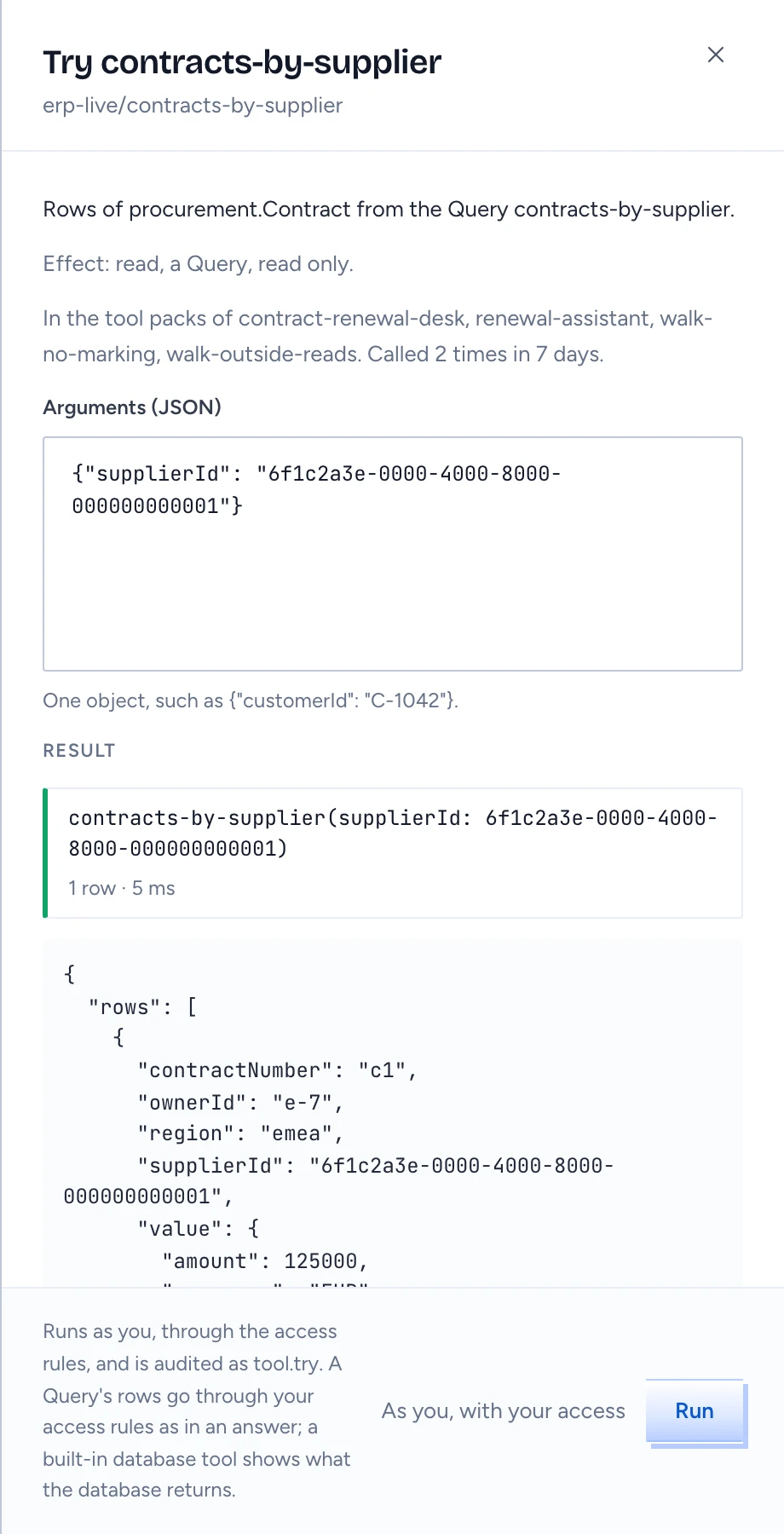
The Try sheet is also where a tool's detail lives: its effect and how that was decided (by the server's annotation, as a Query, or reviewed by whom, by name), the tool packs that use it and how often it was called in the last 7 days.
- Click Try on the row.
- Type the arguments as one JSON object. The sheet starts with the keys the tool takes.
- Click Run. The label beside it, As you, with your access, says whose access the run uses.
Try runs as you, through the access rules, and is audited as tool.try. A Query's rows go through your access rules as they would in an answer: rows you may not read are left out and counted, masked columns stay masked. It does not show what another person may see: to check that, ask the question as that person or look at their effective access under People. A built-in database tool (list tables, describe, sample, free SQL) shows what the database returns. The result shows as the trace shows a step: the call, how many rows came back and how long it took, or the error in red. A disabled tool that only reads still runs here: disabled means answers don't use it, and the sheet says so. A tool that doesn't say it only reads needs Mark as read-only first, and a write tool can't be tried.
Give a tool an instruction
Choose Instruction in the row menu to write text that Gluon adds to the governed part of the prompt whenever an answer uses this tool, after the skill's and the source's instructions. It is an audited platform setting and takes effect on the next answer.
To add a tested query of your own, see Add a Query to a database.